A comprehensive metering toolset for your whole system. Every scope, meter, and analyzer you need for mastering, calibration, and production, reading what's actually coming out with nothing to route or install.
360OSCOPE is a native macOS analyzer that reads your system output directly through a Core Audio process tap. It floats above your DAW, always on top, and draws a clean phosphor trace of whatever is playing.
Most meters make you route audio into them: a bus, a plugin on the master, a virtual device like BlackHole. 360OSCOPE skips all of that. It listens to the same signal your speakers get, so you can open it over any app and see what is coming out, instantly.
Why it's different
Not a plugin. Your whole system.
Other meters live on a track or a master bus, or need you to route audio into them. 360OSCOPE listens to everything your Mac plays. Meter a reference off a streaming app, a video, a game, or a few DAWs at once, in one window, with nothing patched.
Metering and calibration together.
The built-in tone generator and a bit-accurate hardware input let you measure outboard and tape, not just a mix. Send a signal out, read the return, and set levels against the real thing. Most meters stop at the mix.
How to use it
01
Open and power on
Launch it and hit power. The scope comes up floating above whatever you are working in.
02
Pick a source
SYSTEM reads what your Mac is playing. LIVE INPUT reads a hardware input. GEN sends a test tone out.
03
Choose a view
Scope, Spectrum, Phase, Levels, or Harm. They all read the same source, so you can jump around freely.
04
Read it live
Everything updates as it plays. Set trace color, persistence, and gain, and keep it on top while you work.
The five views
Scope
Time domain
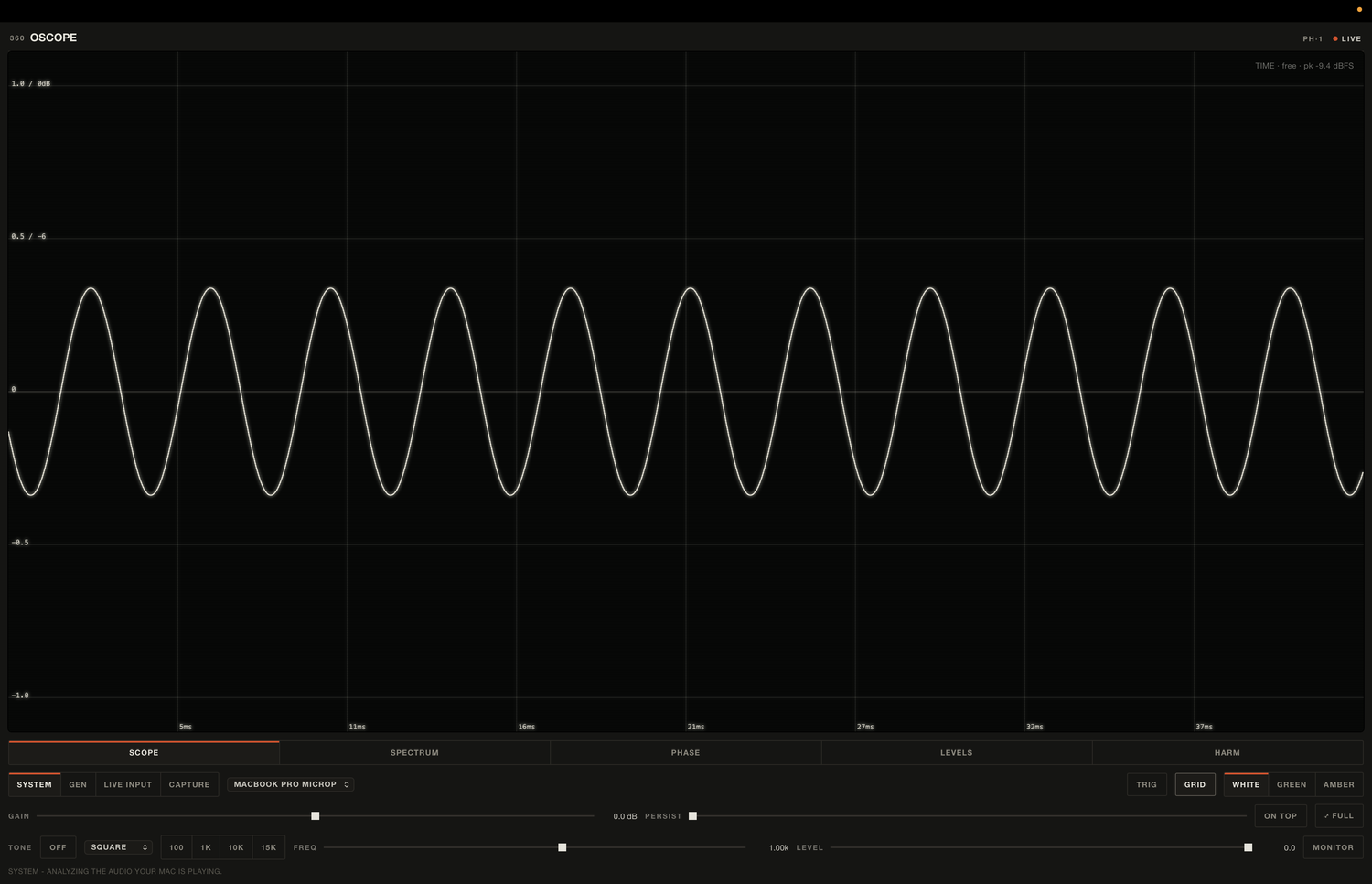
The waveform, drawn sample for sample. Free-running or triggered, with the time base in milliseconds across the window and amplitude marked in both linear and dB. Turn persistence up for a phosphor trail, gain up to zoom in on a quiet signal.
reads TIME · free / trig · peak dBFS · ms time base
Spectrum
Frequency
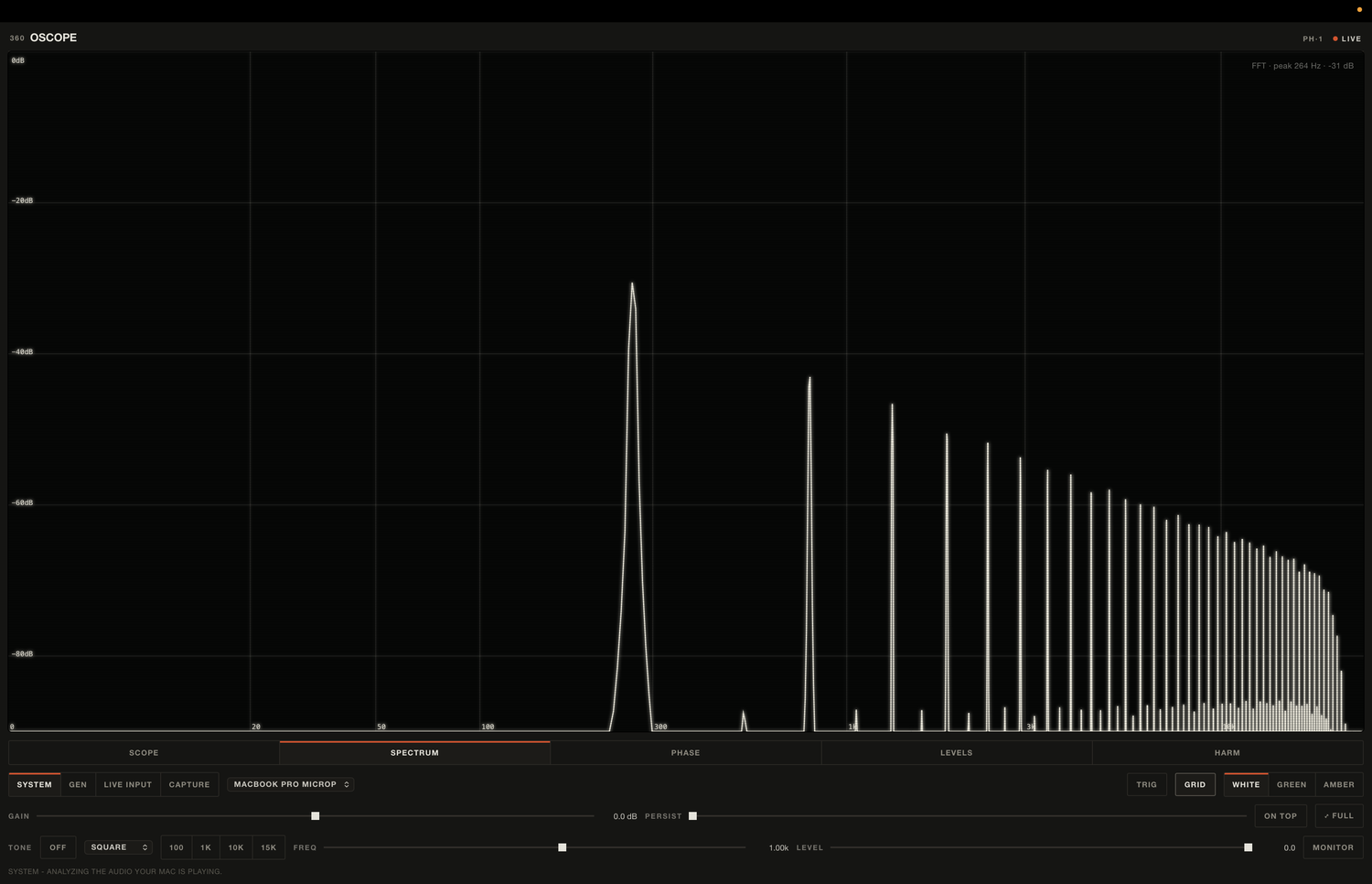
A real-time FFT on a log frequency axis, from DC at 0 Hz up through the top of the band. The peak frequency and its level are called out live. Good for spotting a resonance, a build-up, or where a mix runs out of top end.
reads FFT · peak Hz · dB · 0 Hz to Nyquist
Phase
Stereo field
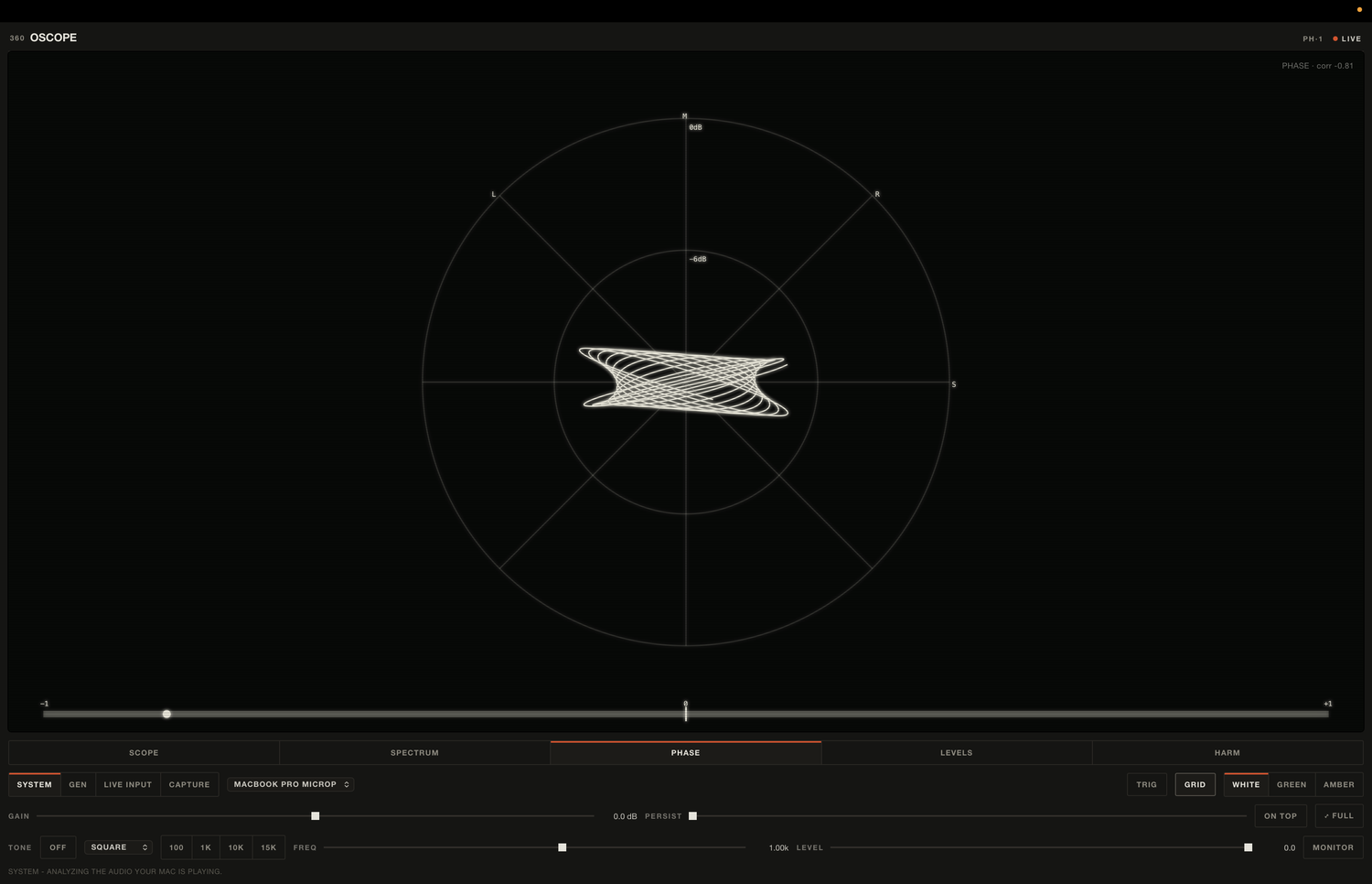
A goniometer with correlation. Mono sits vertical, stereo opens out, a hard left or right pins to the diagonals. The correlation number runs from minus one to plus one, so you catch a phase problem before it collapses the mix in mono.
reads PHASE · corr −1 to +1 · M / S / L / R
Levels
Loudness
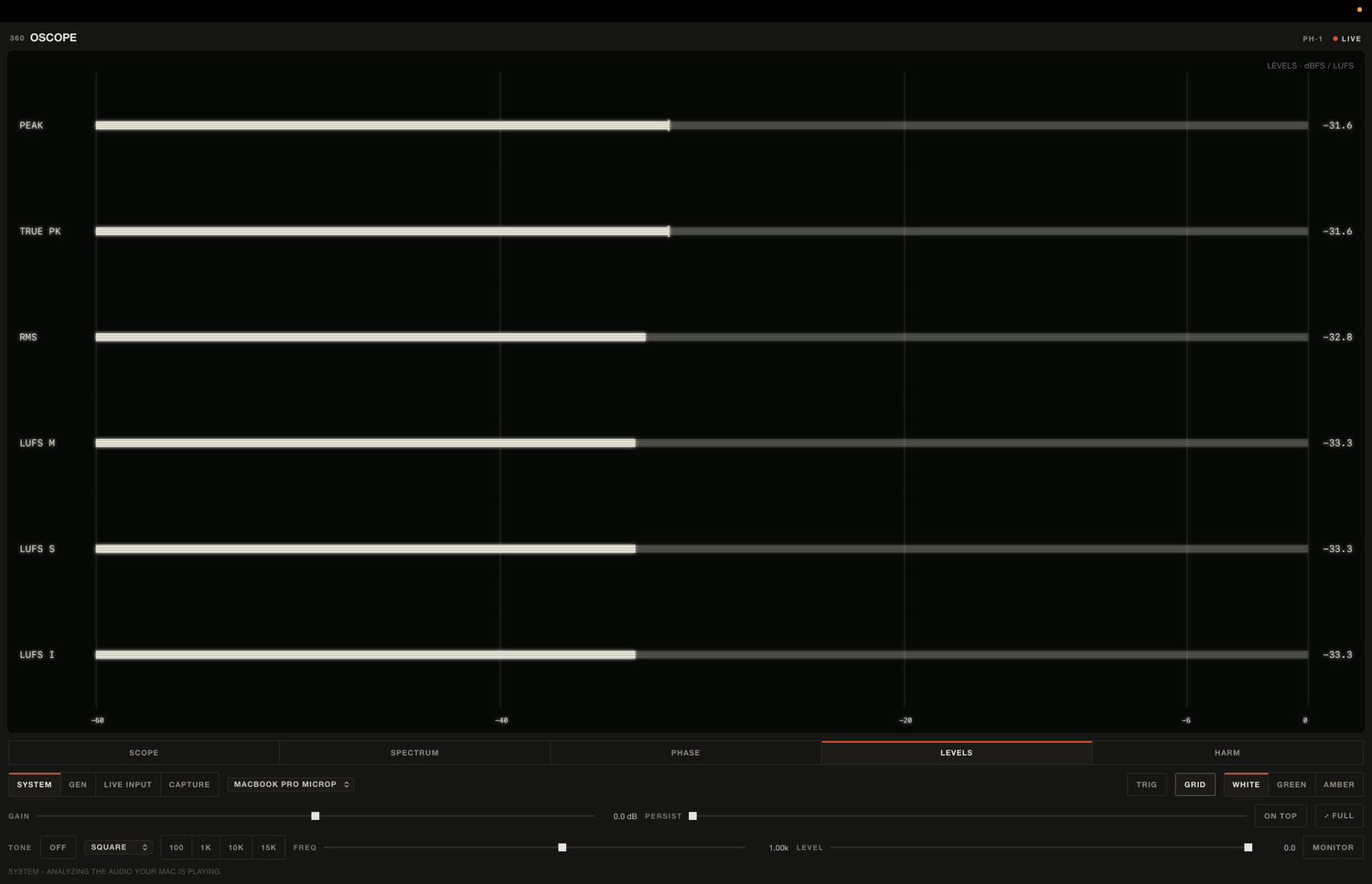
Every level that matters, on one screen. Peak and true peak, RMS, and loudness as momentary, short-term, and integrated LUFS. The loudness is real BS.1770 K-weighting from libebur128, not an approximation, so the integrated number is the one you deliver against.
reads PEAK · TRUE PK · RMS · LUFS M / S / I
Harm
Distortion
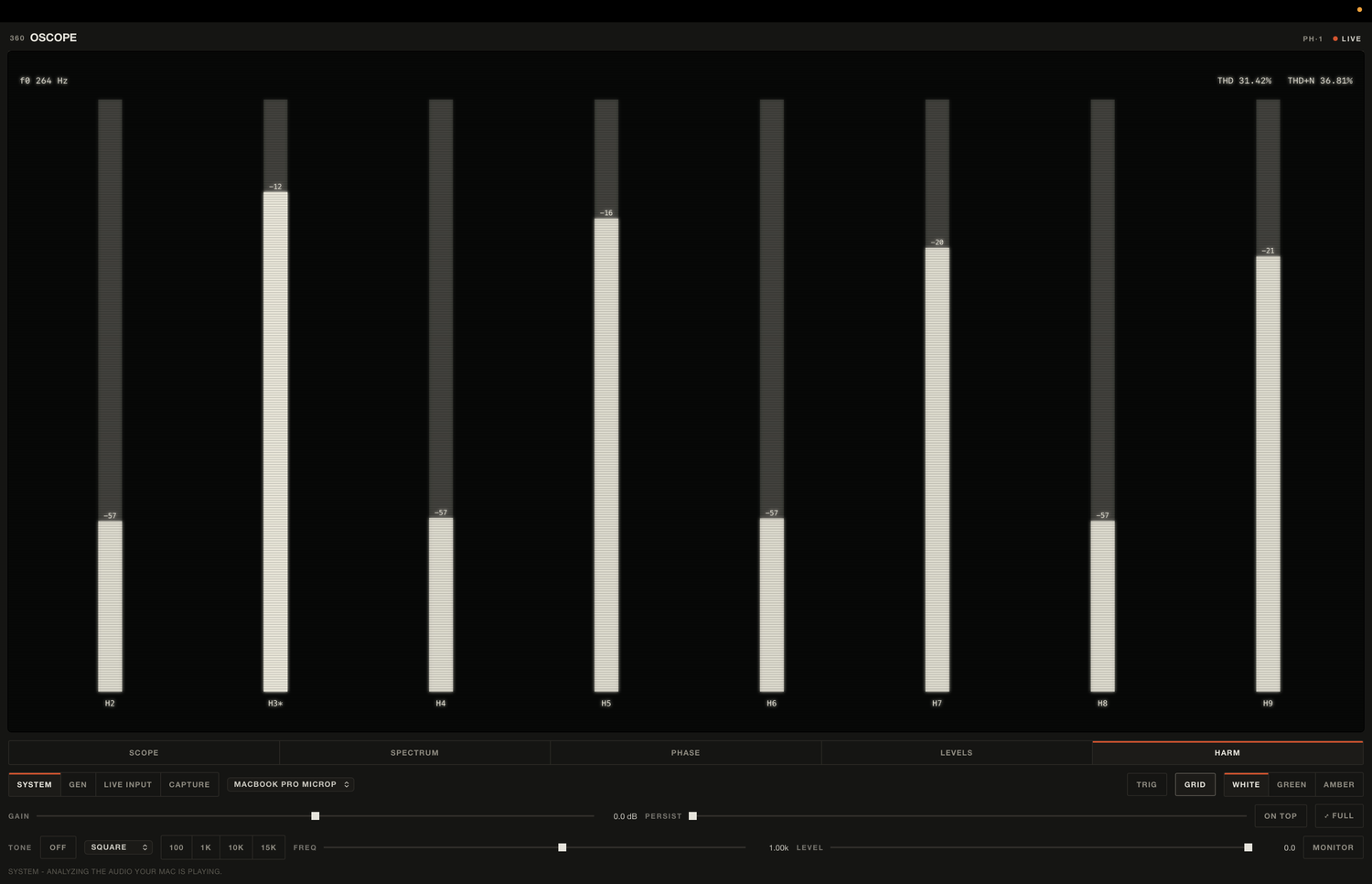
Harmonic content and distortion. It locks to the fundamental, then reads harmonics two through nine in dB below it, with THD and THD plus noise as percentages. Send a tone through the generator and read exactly how much color a tape pass or a preamp is adding.
reads f0 Hz · H2 to H9 · THD % · THD+N %
What you'd use it for
Check loudness on the fly
Play a mix and read integrated LUFS against your target. No export, no meter plugin on the master, no aggregate device.
Catch phase problems
Watch the goniometer on a stereo bus. A collapsing or smeared image shows up before it costs you the mix.
Calibrate tape and outboard
Send a tone out of GEN, read the return on LIVE INPUT. The input is bit-accurate, so you set levels against the real signal.
Measure distortion
Run a tone through a chain and read THD and the harmonic spread, so you know what a preamp or tape pass is actually adding.
Reference while you produce
Play a reference track through your system and read its spectrum and loudness next to yours, without touching your routing.
Spot a fault fast
DC offset, a dead channel, an L/R swap, a build-up in one band. One glance at the right view tells you.
Sources, generator, controls
Four sources
SYSTEM taps your output. GEN plays a built-in tone. LIVE INPUT reads a hardware input, channels 1 and 2. CAPTURE grabs audio shared from an app.
Tone generator
Sine and other shapes, with presets at 100 Hz, 1k, 10k and 15k, plus a swept frequency and level. MONITOR sends it out to drive gear and read the return.
Trace
White, green, or amber phosphor, your call. Grid and trigger toggles. Gain and persistence on every view.
Window
Always-on-top so it sits over a fullscreen DAW, plus a full-window mode when you want to read fine detail.
Under the hood
System tap, no setup
Captures the output your Mac is already playing through a Core Audio process tap. No BlackHole, no aggregate device to wire up, no routing to break.
Real loudness
BS.1770 K-weighting from libebur128, rate-adaptive. The LUFS numbers are the standard ones, not an approximation.
Locks to your rate
Detects the output's sample rate and matches it, from 44.1k up to 192k, so a 96k session is read at 96k with no resampling in the way.
Bit-accurate live input
Reads a chosen input straight off your interface, so what you send out is what you measure coming back. Built for calibrating tape and outboard.
Native and light
A real macOS app, not a browser in a wrapper pretending to be one. It stays out of the way of the CPU your session needs.
Signed and notarized
Opens clean with no Gatekeeper warning. Apple-notarized Developer ID build.